Sonic Gift Card Balance: How to Check (3 Easy Methods)
You can check your Sonic gift card balance online, by phone, or in-store in just a few minutes. Sonic Drive-In provides multiple ways to view your remaining balance, whether you’re using a physical card or an eGift card.
The fastest method is online, where you simply enter your card number and PIN to see your balance instantly. You can also call the official number or ask at any Sonic location for a quick check.
In this guide, you’ll learn how to check your Sonic gift card balance step by step, what details you need, alternative methods, and how to fix common issues if your card isn’t working—so you can use your card without any problems.
How to Check Sonic Gift Card Balance
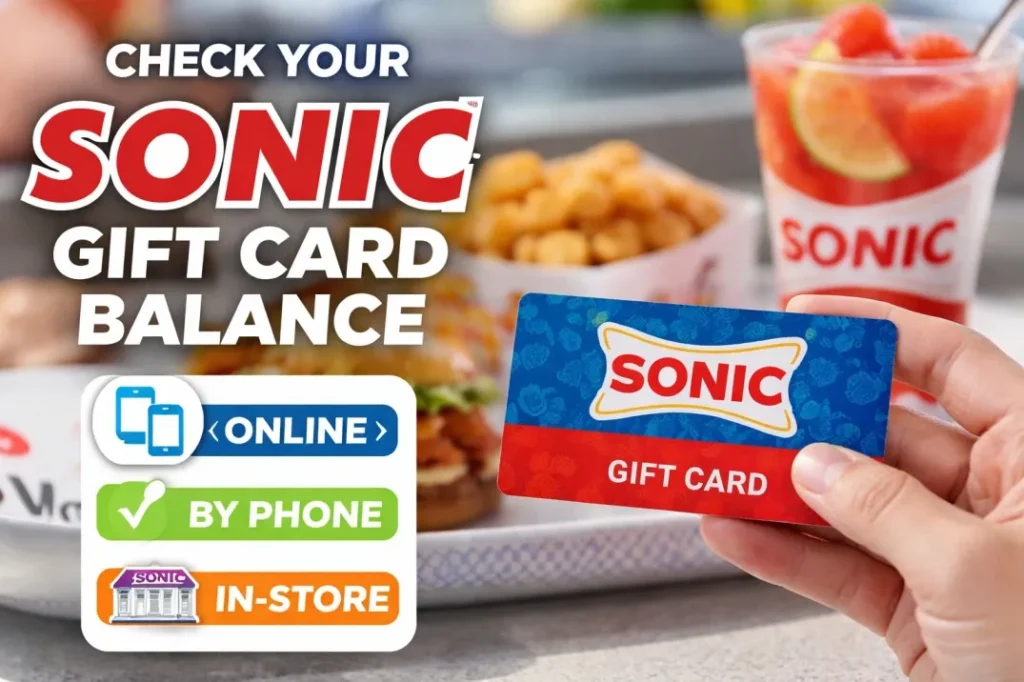
You can check your Sonic gift card balance in three simple ways: online, by phone, or in-store. The fastest option is online, where you enter your card details and get the balance instantly.
Check Sonic Gift Card Balance Online (Step-by-Step)
Checking your gift card balance online is the fastest and most reliable method. You can do it in seconds using the official website of Sonic Drive-In.
Steps to Check Balance Online:
- Go to the Sonic gift card page
- Click on the “Check Balance” option
- Enter your gift card number
- Enter the PIN (if required)
- Click submit to view your balance instantly
What You Need:
- Gift card number (on the back of the card or email)
- PIN code (scratch-off area for physical cards)
This method gives you real-time balance information without visiting a store or calling support.
Check Gift Card Balance by Phone
You can check your Sonic gift card balance by calling the official balance number 1-888-272-6547. This method works if you prefer a quick phone-based check instead of going online.
Steps to Check by Phone:
- Call 1-888-272-6547
- Follow the automated voice instructions
- Enter your gift card number
- Enter the PIN (if required)
- Listen to your remaining balance
Important Notes:
- Keep your card details ready before calling
- Enter numbers carefully to avoid errors
- Works for both physical and eGift cards
This method is reliable, but online checking is usually faster.
Check Gift Card Balance In-Store
You can check your Sonic gift card balance directly at any Sonic Drive-In location. This is a simple option if you are already visiting a store.
Steps to Check In-Store:
- Visit your nearest Sonic location
- Go to the counter or drive-thru
- Ask the staff to check your gift card balance
- Provide your gift card to the cashier
- They will scan the card and tell you the remaining balance
Important Notes:
- No PIN is usually required for in-store checks
- Works for both physical and some digital cards
- Availability may depend on store systems
This method is useful when you plan to use your card immediately after checking the balance.
What Information You Need to Check Balance
To check your Sonic gift card balance, you need a few basic details. Having these ready ensures the process is quick and error-free.
Required Details:
- Gift Card Number
Printed on the back of the physical card or included in the eGift email - PIN (if applicable)
Usually located under a scratch-off panel on physical cards
Important Notes:
- Some balance checks may not require a PIN (especially in-store)
- Enter details exactly as shown to avoid errors
- Keep your card information secure to prevent misuse
Having the correct information ready helps you check your balance instantly without delays.
Sonic Gift Card Balance Not Working? (Fixes)
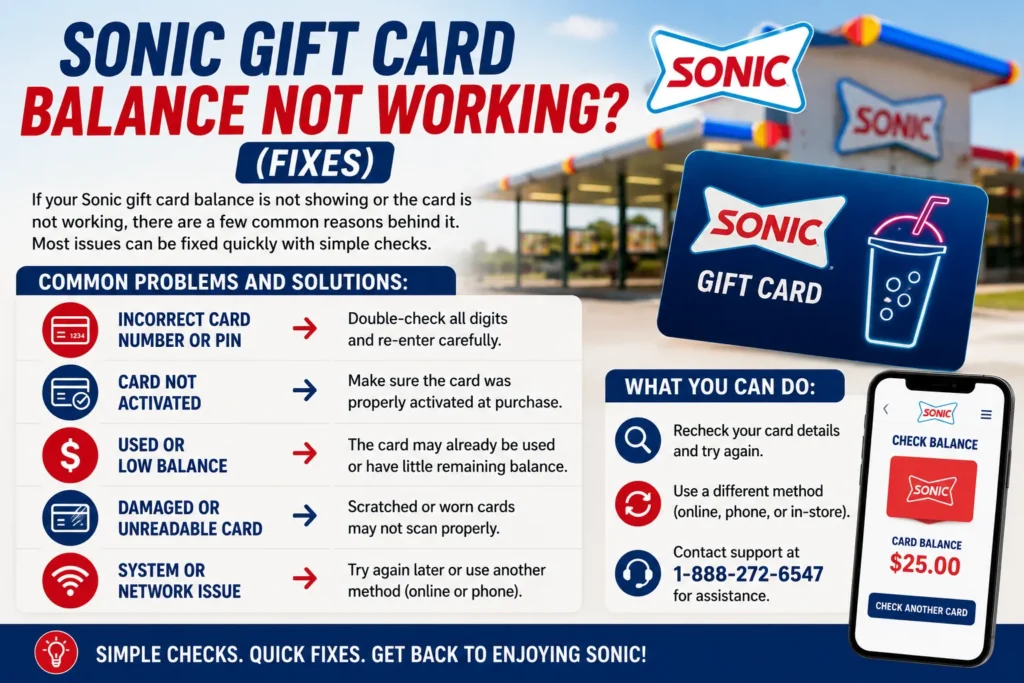
If your Sonic gift card balance is not showing or the card is not working, there are a few common reasons behind it. Most issues can be fixed quickly with simple checks.
Common Problems and Solutions:
- Incorrect Card Number or PIN
Double-check all digits and re-enter carefully - Card Not Activated
Make sure the card was properly activated at purchase - Used or Low Balance
The card may already be used or have little remaining balance - Damaged or Unreadable Card
Scratched or worn cards may not scan properly - System or Network Issue
Try again later or use another method (online or phone)
What You Can Do:
- Recheck your card details and try again
- Use a different method (online, phone, or in-store)
- Contact support at 1-888-272-6547 for assistance
If you prefer digital payments, learn whether Sonic takes Apple Pay and how to use it for a faster checkout experience.
Where Can You Use Sonic Gift Card?
You can use your Sonic gift card at most Sonic Drive-In locations across the United States. It works for a wide range of menu items, including drinks, snacks, and full meals.
Where You Can Use It:
- Drive-In Locations
Pay at the stall or drive-thru when placing your order - In-Store (if available)
Use it at the counter in locations with indoor service - Sonic App (eGift Cards)
Digital gift cards can be used when ordering through the app
Before using your balance, explore the Sonic menu with updated prices and popular items to plan your order easily.
Important Notes:
- Physical gift cards work at participating locations
- eGift cards are mainly used for app-based orders
- Not valid for cash withdrawal or refunds
Using your gift card is simple, and it can be applied to most orders without restrictions.
FAQs
How can I check my Sonic gift card balance?
You can check your balance online, by phone (1-888-272-6547), or in-store at any Sonic Drive-In location.
Can I check Sonic gift card balance without a PIN?
Yes, some methods like in-store checks may not require a PIN. However, online and phone checks usually need it.
How long does it take to check the balance?
Online checks are instant. Phone and in-store methods may take a few minutes.
Can I use my Sonic gift card online?
Yes, eGift cards can be used through the Sonic app for online orders.
What should I do if my gift card is not working?
Double-check your card details, try another method, or call support at 1-888-272-6547 for help.
Do Sonic gift cards expire?
No, Sonic gift cards typically do not expire and do not have additional fees.